
פרטיות

העוגיות שלנו

עוגיות הכרחיות מפעילות את השירות. אנליטיקה ושיווק (Google Analytics, Meta Pixel) עוזרות לנו לשפר אותו. מדיניות הפרטיות

SUPPORT

Help Center

Everything you need to know to get the most out of Felora

Quick start

4 simple steps to start creating marketing content

01

Create account

Sign up with email and password. Get 30 free credits to try, no credit card.

02

Set up brand

Fill in business name, description, logo, colors, voice and target audience. Takes 3 minutes.

03

Create content

Pick content type, add title and description, click "Create". AI does the rest.

04

Download and publish

Download the content, edit the caption, and publish directly to social networks.

App screens

Meet every screen and what you can do in it

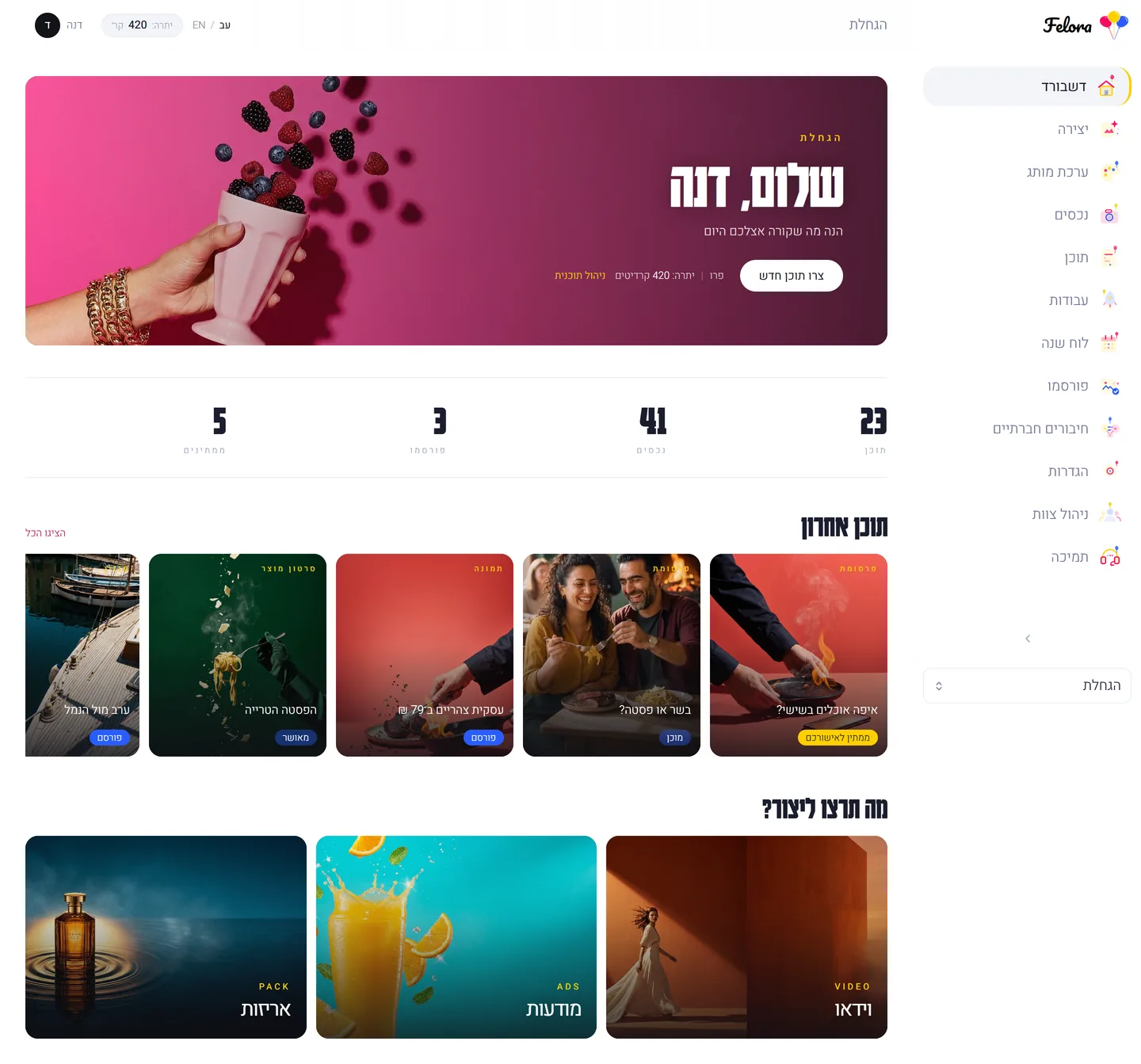
Dashboard

Your main screen

When you log in, you see it all: stats, quick actions, recent content, system messages and inspiration.

  • Real-time stats
  • Three creation strips: video, ads, packaging
  • Content carousel
  • A campaign world with today's status
  • Credit balance
  • System messages

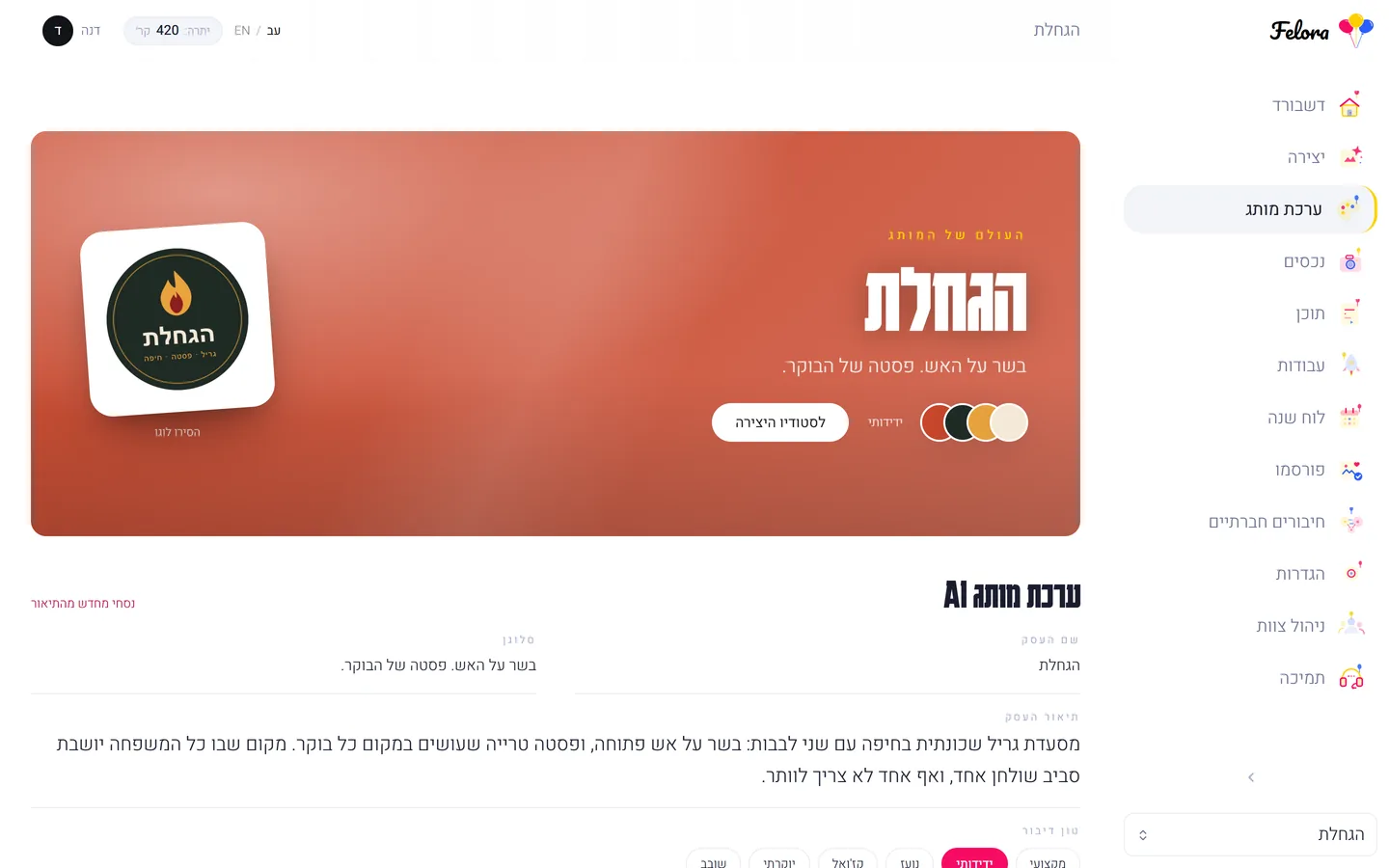
Brand Kit

Your brand identity

Everything you fill in here impacts every piece of AI content. Logo, colors, voice, audience and language.

  • Logo upload
  • 4 brand colors
  • AI color suggestions
  • Voice (6 styles)
  • Auto save
  • Live preview

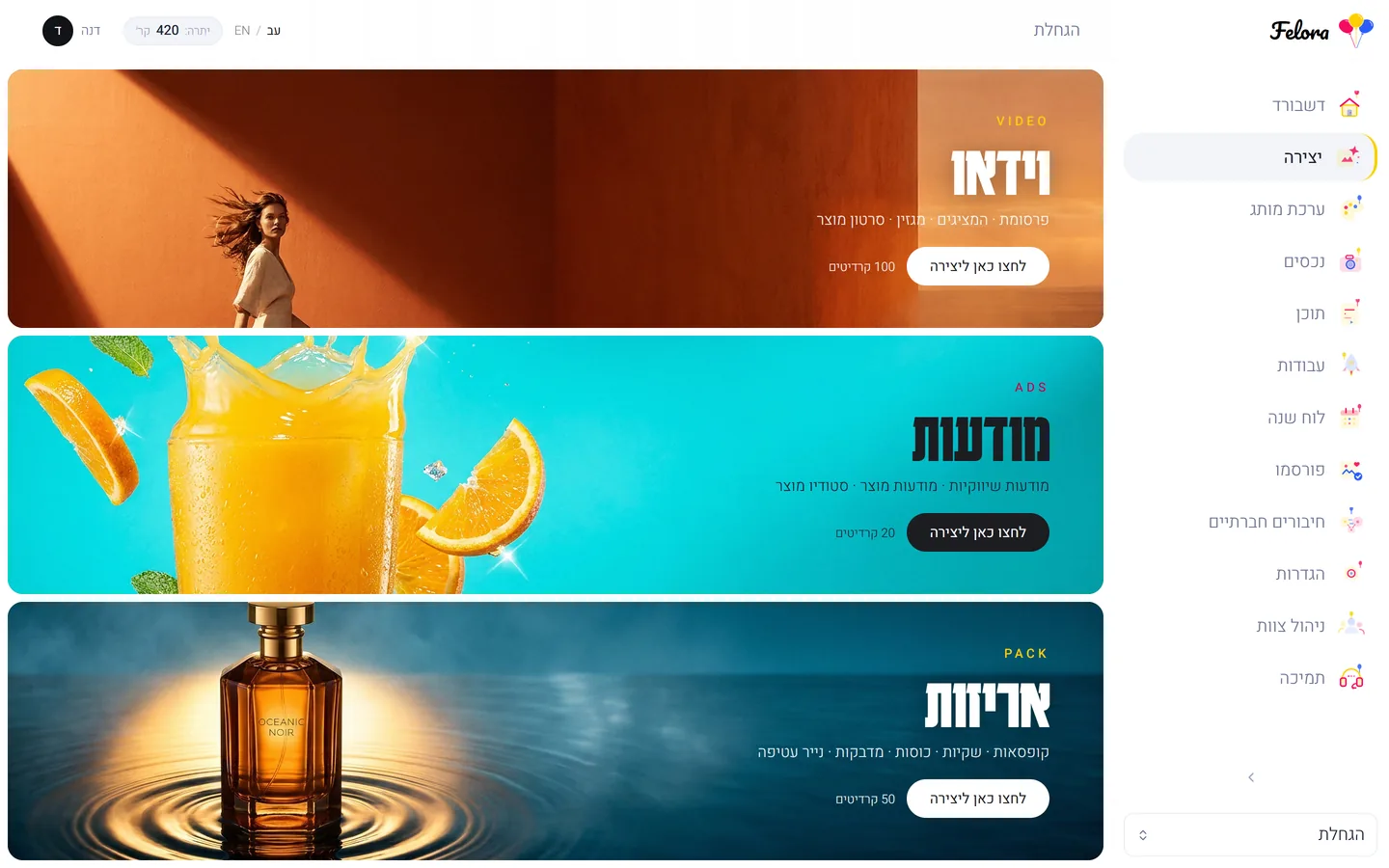
Content creation

Your studio

Pick content type, fill in details, and Felora generates everything. 7 types: The Presenters, magazine, product film, product studio, product ad, print & packaging, image post.

  • Pick content type
  • Title + description
  • Choose language
  • Video length
  • Live progress tracking

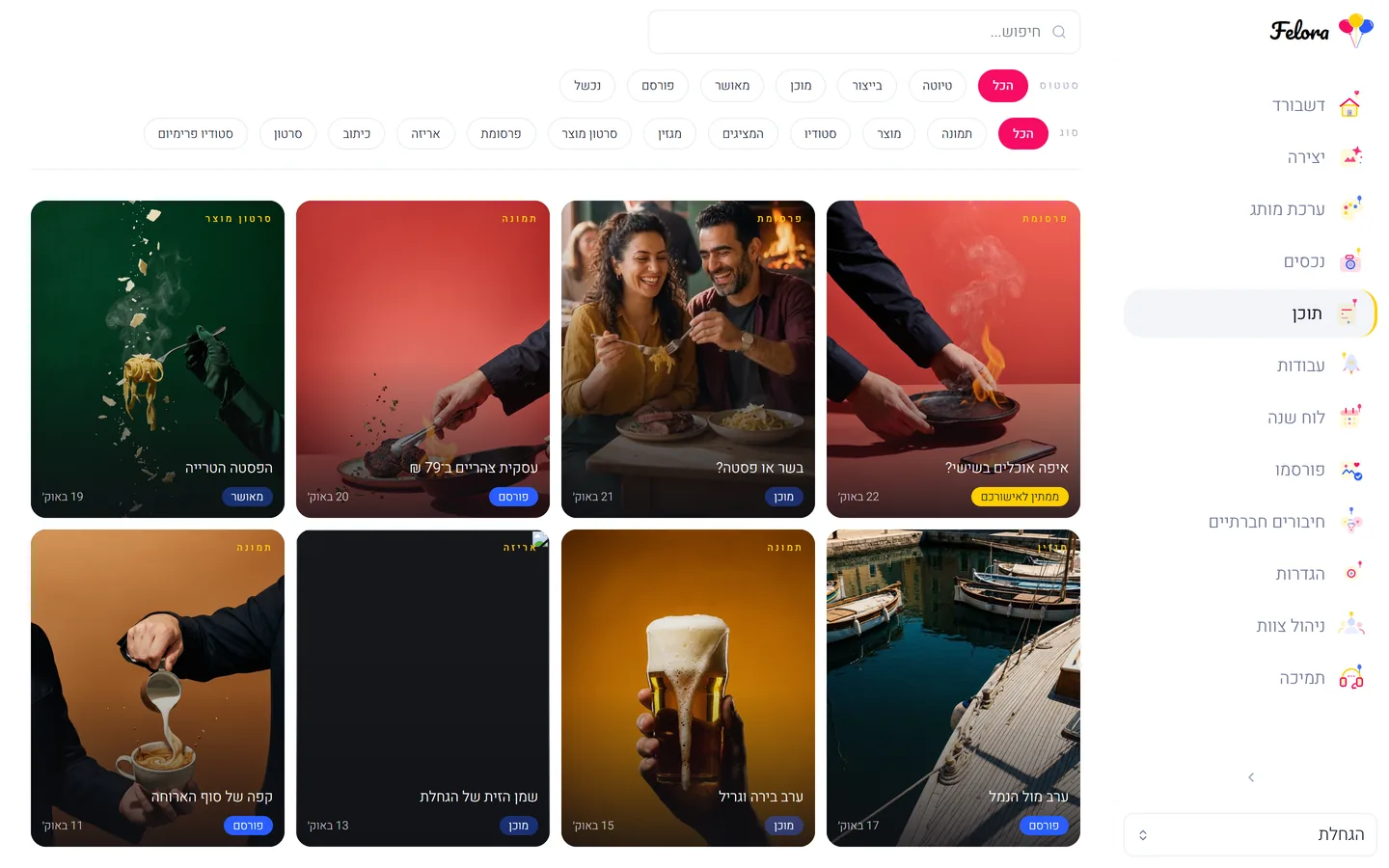
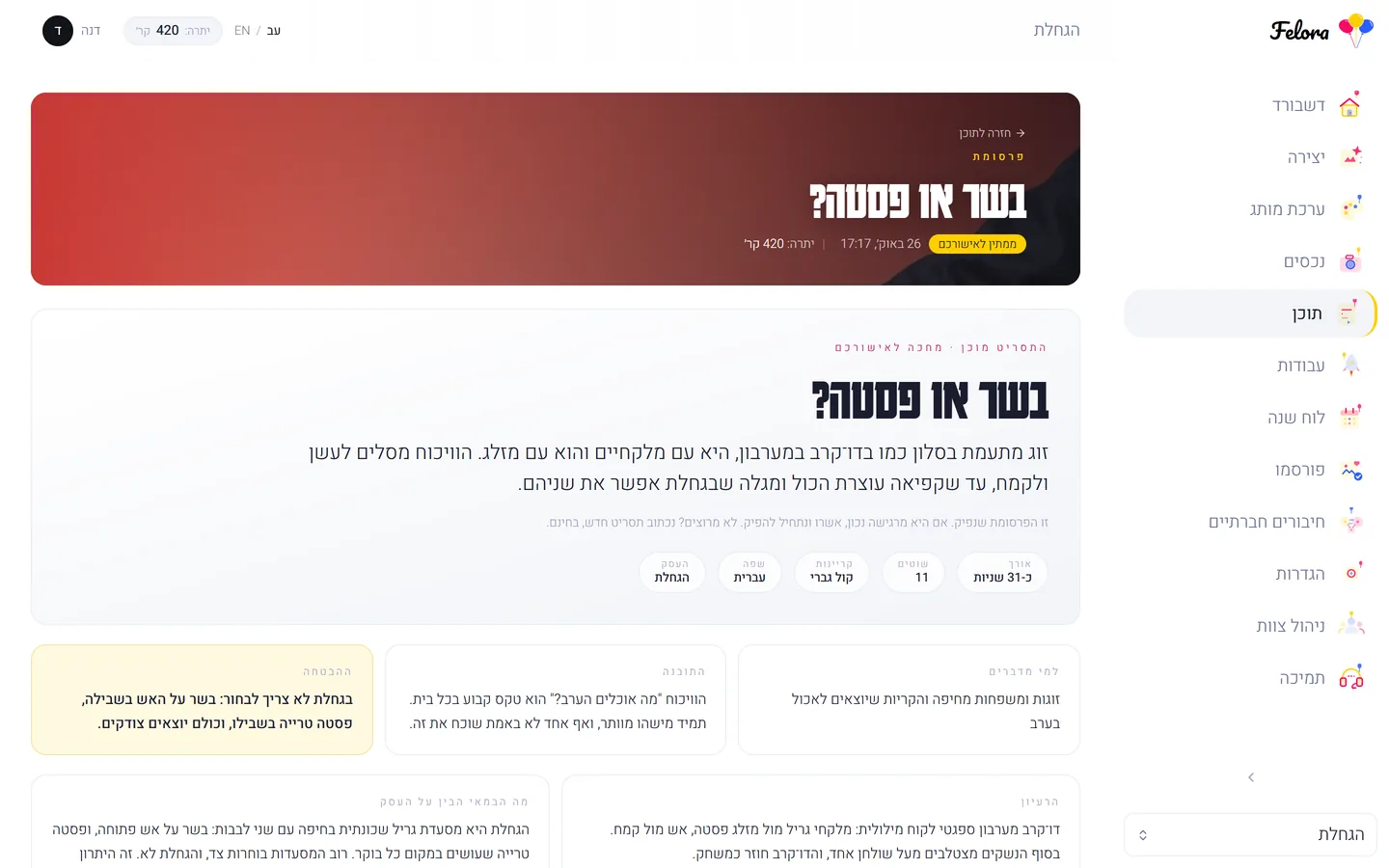
Content

Content library

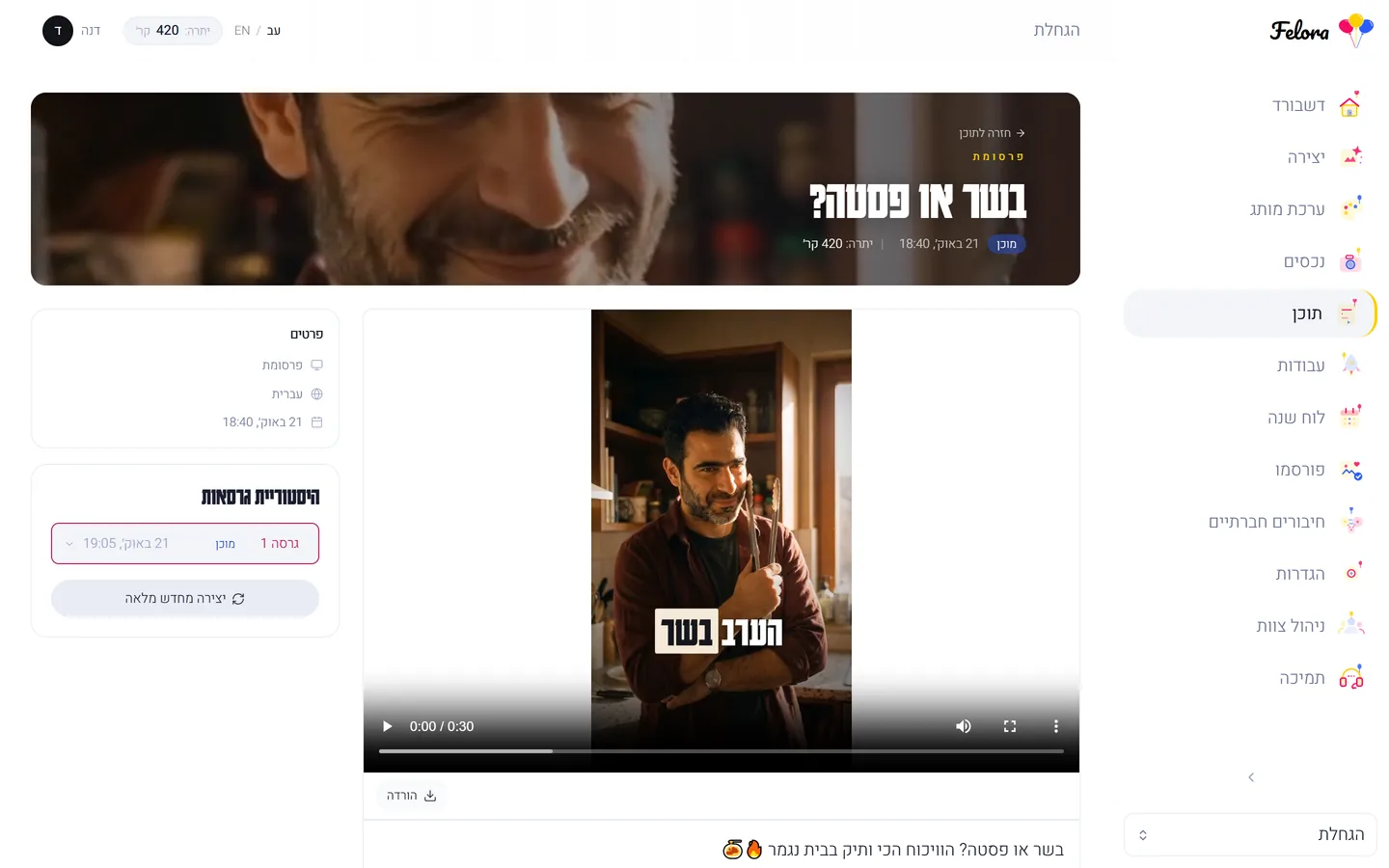
Everything you created in a gallery view. Search, filter by status/type, live preview, click for full details.

Search by title · Advanced filtering · Preview · Delete and download

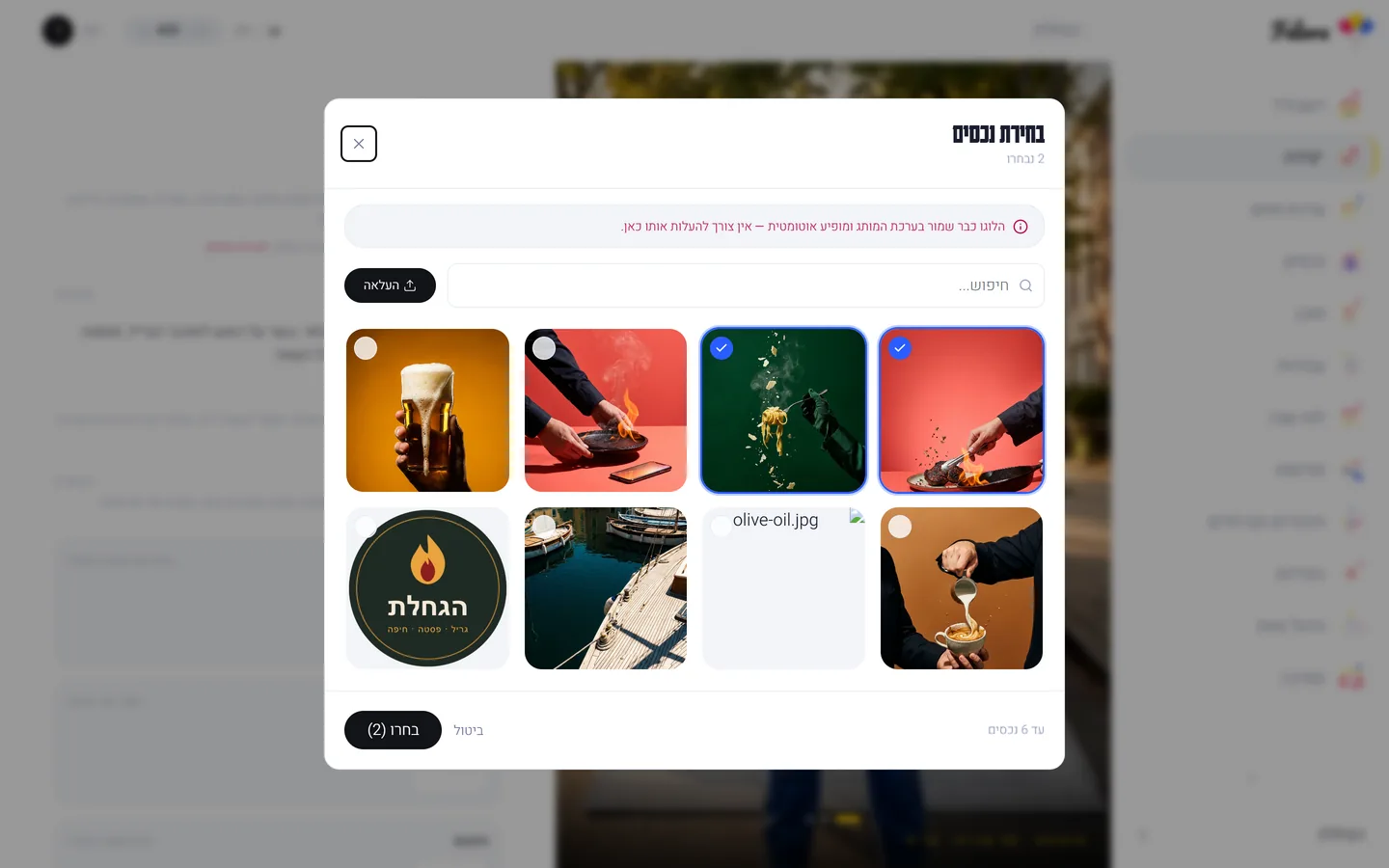
Assets

Media library

Upload product images, logos and marketing materials. Drag and drop, filter by type, capture directly from phone.

Drag and drop · Phone capture · Filter by type · Asset tagging

Jobs

Job tracking

Real-time tracking of content creation. Stats, filtering, retry for failed jobs.

Live updates · Success rate · Retry · Status filter

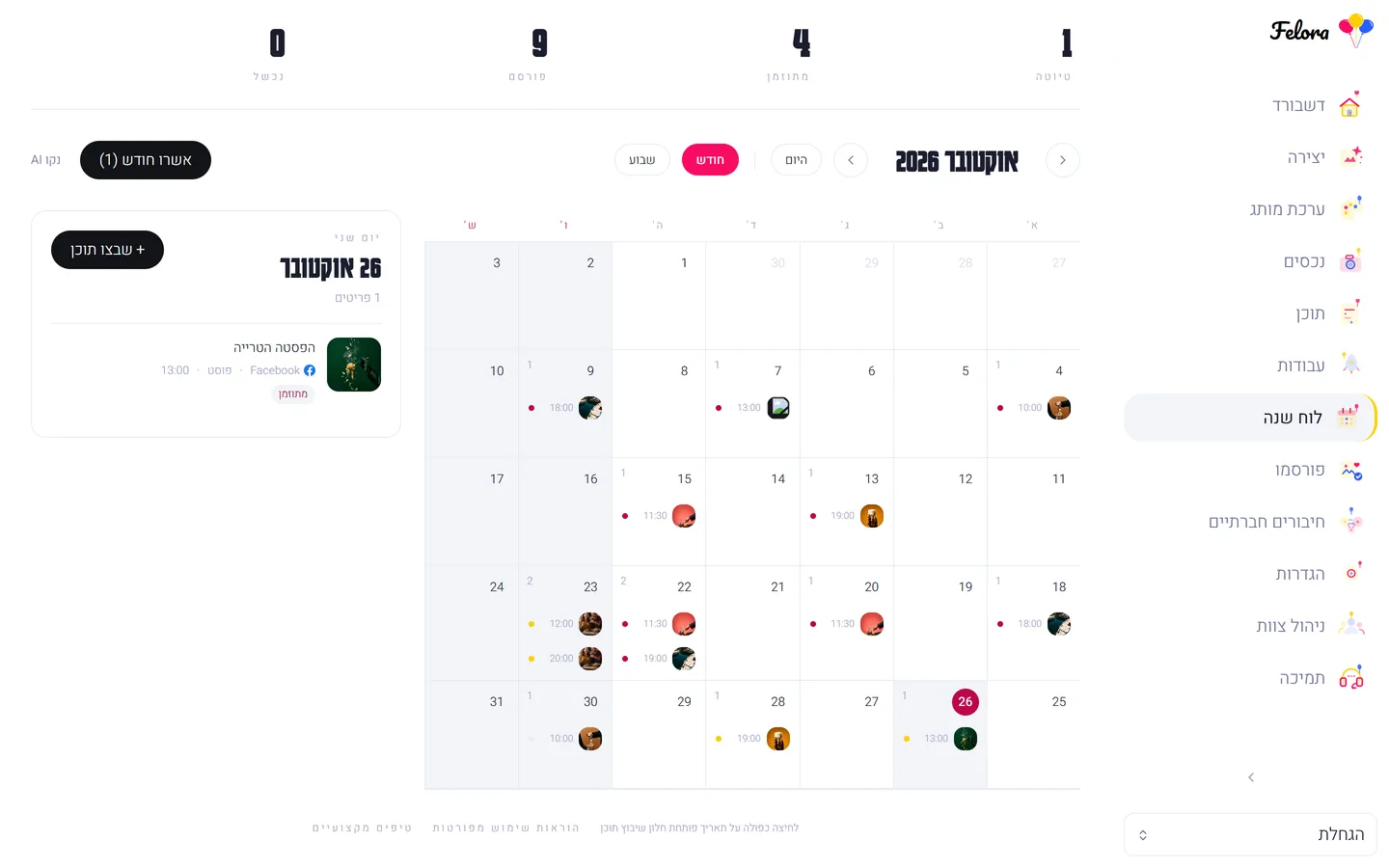
Calendar

Planning and scheduling

Visual calendar with smart AI planning. Month/week view, colored status dots, auto monthly planning.

Month/week view · AI planning · Colored status · Approve scheduled posts

Settings

Account management

Edit profile (first/last name), change password, pick UI language, workspace details.

Edit profile · Change password · Language: Hebrew/English · Workspace details

Team

Invite members

Invite team members by email, assign roles (admin, reviewer, viewer), update permissions and remove members.

Email invite · 4 permission levels · Update roles · Owner-only management

Content types

7 types, each with a tailored AI pipeline

100

credits

Felora Magazine

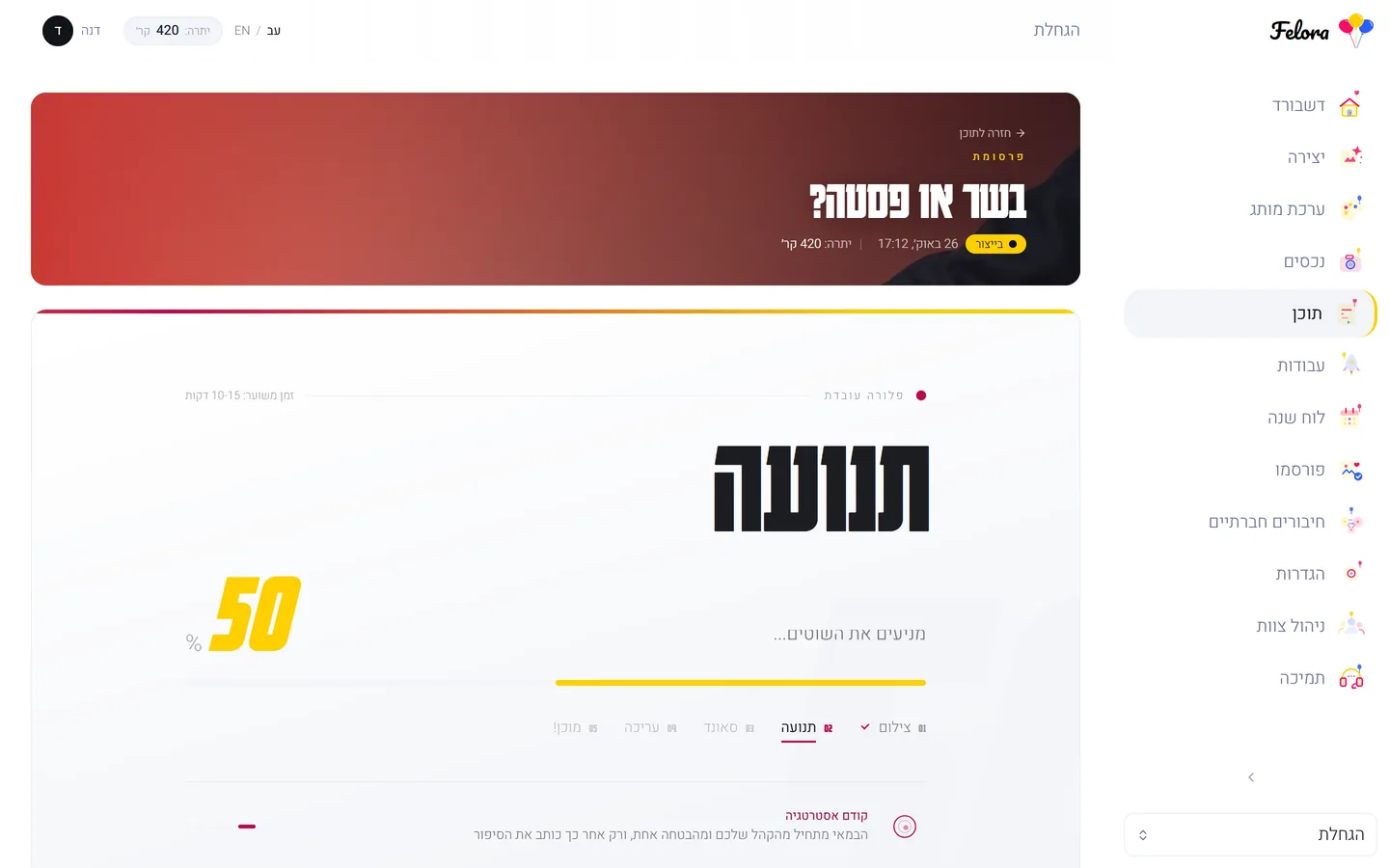
VOGUE-style cinematic brand magazine — 30-second vertical brand film with 10 alternating scenes, music and unified brand palette. Planned by Claude Opus and approved by you before production, shot in Nano Banana Pro, animated with Runway Gen-4, scored by Suno. Agency-grade premium quality.

10 scenes planned by Claude Opus — the plan is shown for your approval before any credits are charged · Premium stills via Nano Banana Pro · Cinematic animation by Runway Gen-4 · Original music from Suno · Unified branding across all scenes · 30-second 1080x1920 ready for Reels

100

credits

The Presenters

30-second UGC video with an AI presenter speaking about you in Hebrew or English. Optionally upload a product/location photo and the presenter appears with it.

10 vertical 9:16 scenes (30 seconds total) · Bilingual voiceover from your chosen presenter (Hebrew/English) · Word-synced captions · Product photo → Felora holding the actual product · Location photo → Felora at that exact place · Original tone-matched music

100

credits

Product film

A ~30-second TV commercial from one product photo: actors using your product, 10 animated scenes in changing settings, camera moves, cuts on the beat and original music.

10 scenes, every one animated · The same cast throughout the commercial · Your product exactly as photographed · Camera, character and product movement in every scene · About 30 seconds, 9:16, original music · You approve the plan before any credits are charged

20

credits

Product studio

5 premium product photos at professional studio level: with a model, studio color hero, top-down flat lay, low-angle hero, and premium dark hero. Your product stays identical to the reference.

5 premium photography styles · With a real model holding the product · Clean studio on seamless backdrop · Top-down flat lay + low-angle hero · Full product fidelity — no redesign · Bonus: brand video script

50

credits

Print & packaging

10 branded packaging designs + print-ready ZIP bundle. Luxury, geometric, artisan, retro, pastel and more.

10 different design variations · Logo and brand colors integrated · Boxes, bags, cups, stickers · Flat dieline with cut & fold lines · Ready for the print shop · ZIP with all assets

20

credits

Image ad

Designed ad: AI writes copy, designs visual prompt, and renders a brand-aligned image.

Hebrew marketing copy · AI visual design · Brand colors · CTA · All sizes · 5 ads per run

20

credits

Product ad

5 designed ads from one product photo — offer, price and CTA. Five styles: gold classic, rustic chalk, kraft collage, light split, dark elegant.

5 professional design styles · קלאסית זהב + כפרית + קולאז' קראפט · Light split + dark elegant · Bold saturated color backdrop · AI studio lighting · Product fidelity preserved
Product photography tips

Good photos = good results

01

Natural light

Shoot near a window with natural light. Avoid direct flash. Soft side light is best.

02

Clean white background

Put product on a white background (paper, fabric, cardboard). Clean background helps AI identify the product.

03

45 degree angle

Shoot from a front-upper angle. Make sure the whole product is in frame with margins around.

04

Focus and sharpness

Tap the product on screen to lock focus. Hold steady or use a timer.

05

No filters

Shoot without filters, no over-the-top HDR. AI needs natural colors.

06

High resolution

Shoot at highest quality. Minimum 1080x1080. Small image = pixelated result.

07

Single product

Shoot each product separately. Easier for AI to work with one product at a time.

08

Phone capture

Felora supports direct capture! Click the camera icon in Assets and shoot.

Pro tip: Food = shoot from above (flat lay). Clothes = on a hanger. Beauty = 45 degree angle. Each category with its suitable angle.

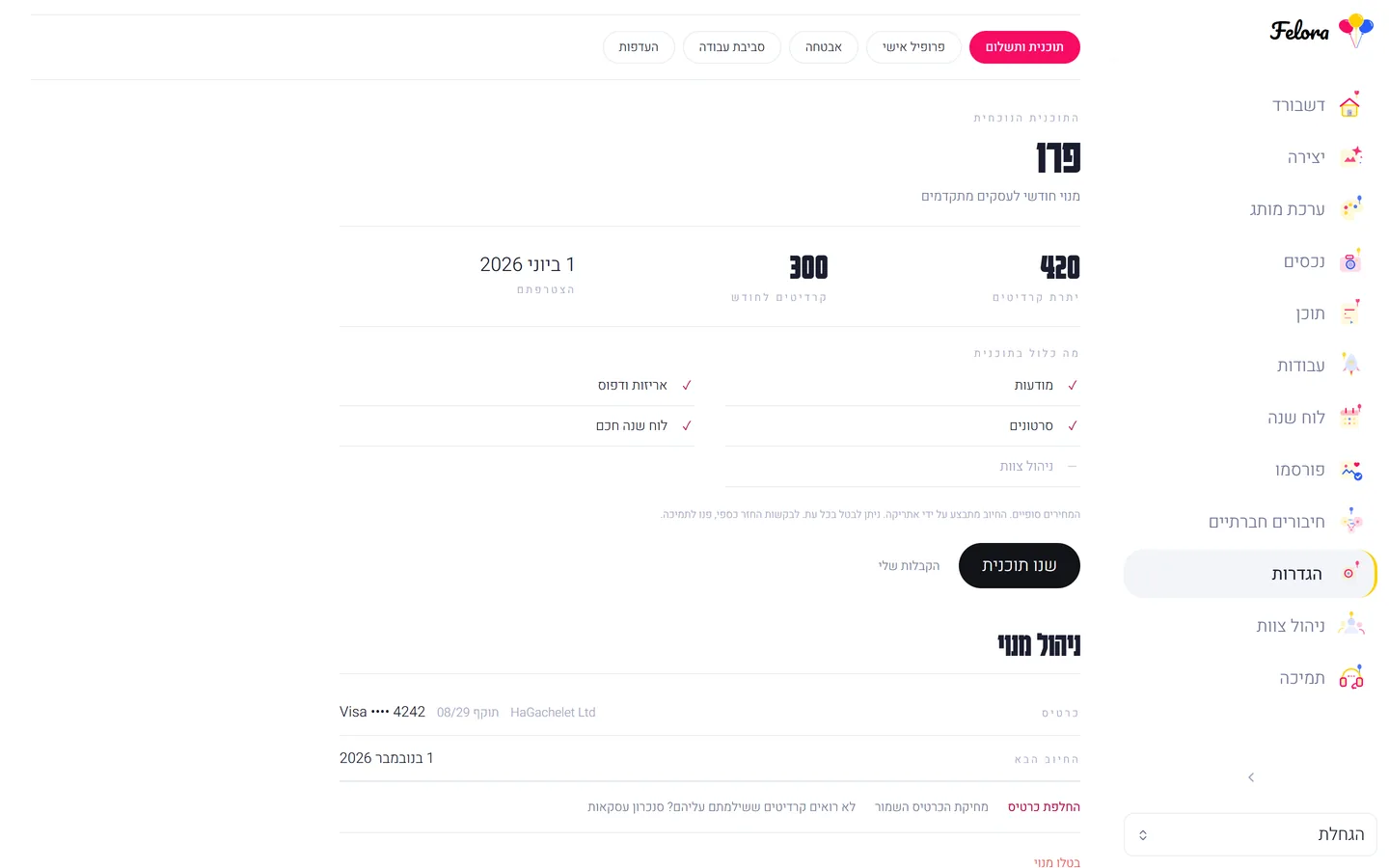
Credits & billing

The credit system is Felora's fuel

100

credits

Felora Magazine

100

credits

The Presenters

100

credits

Product film

50

credits

Print & packaging

20

credits

Product studio

20

credits

Product ad

20

credits

Image ad

Note: Unused credits don't roll over to next month. New account = 30 free credits, no credit card.

Subscription plans ←

Frequently asked questions

Answers to the most common questions

Didn't find an answer? Contact us ←

Ready to start.

Your first piece — today. In your brand's identity, ready to publish.

Create your first piece free

30 free credits · no credit card